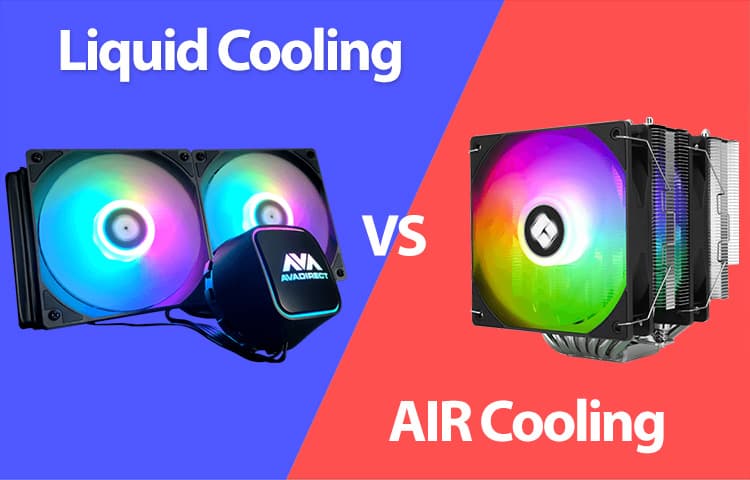
Cooling your PC, what’s best for you?
When putting together a customer’s custom computer, whether it is in an XL case or a mini-ITX case, one part of the system’s configuration that is one of the most important is how you keep it cool. Higher-end CPUs can reach up to 100 degrees Celsius, which if not properly cooled, will cause your system to shut down to prevent damage to the CPU. Thankfully, we have several ways to keep temperatures controlled within our custom PCs to prevent anything bad from happening.
Finding the Right Balance: Air vs. Liquid
The debate between air cooling and liquid cooling isn't about which one is better, but rather which one is better for your specific build goals. In the past, we’ve talked about what’s best for a gaming PC when it comes to hardline and softline liquid cooling, putting aside factors such as case clearance and installation, coolers are pretty much universal across both Intel and AMD platforms, with only a few being specifically designed for one chipset or the other. Almost all of them come with brackets for the opposite chipset. Let’s quickly break down the main difference between the two options.
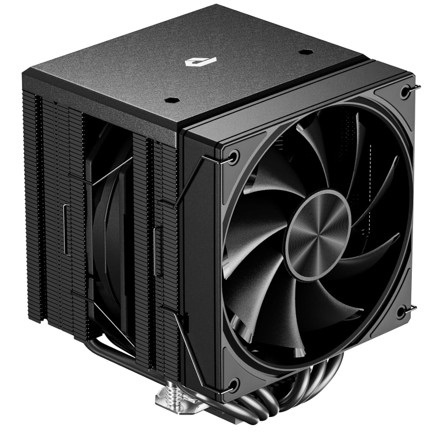
Air cooling systems utilize a heatsink and high-quality fans to pull heat away from the processor. They are prized for their reliability, ease of installation, and longevity. Since there are no pumps or liquids involved, there is very little that can go wrong over the years of heavy use.
Liquid cooling uses a radiator and a pump to circulate coolant. Liquid cooling can often manage thermal spikes more efficiently and this is particularly useful for over clockers or those using high-core-count CPUs in smaller environments where airflow might be restricted.
In either case, these cooling systems are also supported by the other fans that you place within your system. Case fans act as intakes and exhaust fans, both pulling in cool air from one or multiple points of the case, and exhausting the hot air out the other ends. Our standard at AVADirect is to have fans intake from the front and bottom of the case if permitted, while exhaust fans being on the back and top. This isn’t set in stone, however, depending on the case or what the customer has in mind, alternate fan placement is sometimes required.
Factors That Influence Your Choice
Choosing a cooling solution isn't just about the CPU; it’s about the environment it lives in.
- Case Volume: In a massive XL chassis, you have having gobs of fans or up to a 420mm radiators. In a mini-PC, space is at a premium, often making low-profile air coolers or compact liquid loops a necessity.
- Airflow Dynamics: The number of fans and their placement determine how quickly "waste heat" is exhausted. A great cooler is only as good as the fresh air it can pull into the case.
- Component Synergy: High-end GPUs also bring a lot of heat into the case. If your graphics card is running hot, your CPU cooler must work even harder to compensate for the rising internal ambient temperature.
When designing a custom PC solution, whether it is a custom gaming PC or custom workstation PC, taking these things into account is critical in how your custom PC will react in a high thermal setting. Let’s look at benefits of both liquid cooling and air cooling.
Air Cooling Benefits
Air cooling allows for a cheaper cooling option, if you are on a budget, that can honestly provide a big bang for your buck. While yes, there are some air coolers that cost as much as an AIO cooler, that isn’t always the case. There are options such as Thermalrite, which is a fan favorite among customers and our sales team at AVADirect, that offers peak performance for almost a fraction of the cost of other competitors. Air coolers also bring simplicity. You aren’t having to worry about daisy chaining cords to get the RGB to work, or mess with the software to help adjust speeds tied to the AIO; you simply install, and turn on. It can also lead to a more quieter experience in some cases. Manufacturers such as BeQuiet! have really mastered that area of quietness when it comes to fans and AIOs.
All in One Coolers (Liquid Cooling)
AIO coolers have always been a phenomenal option in terms of aesthetics and performance among consumers who have custom PCs. They provide temperature control with software that is designed for these newer coolers and fans, providing almost absolute control over curves, trigger when to ramp up, and colors of course. As said above, for over clockers this is a big selling point. AIOs also provide a lite liquid cooling experience as well, given the coolant that is running through the tubes. One big downside of AIOs is they are more inclined to fail versus air coolers.
When it comes to cooling, it can be tricky or simple depending on your custom PC solution. Most of the time, it is simplistic and plug and play and typically becomes tricky when you are dealing with enterprise solutions where it is very critical. If you are in the market for a custom gaming PC or custom workstation PC, you can piece it together in our configurator with both air and liquid cooling options. If you aren’t sure what you need, you can always reach out to sales team and they can help you every step of way!


Game Consoles vs. Gaming PCs: Which One Is Really Worth It?